Backing up email is not always easy, mainly because you need to find the right tool for the specific email client you're using.. unless you use Amic Email Backup.
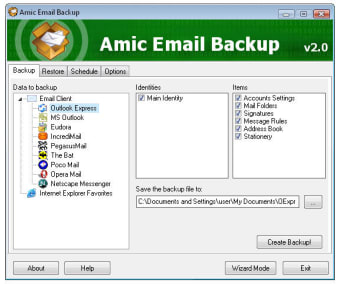
This excellent backup application enables you to save all data in your email client as a backup copy you can then restore on a fresh installation or a completely new computer by using exactly the same program. Amic Email Backup supports the most popular clients, including Microsoft Outlook, Outlook Express, Eudora, Netscape Messenger, IncrediMail and PocoMail.
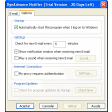
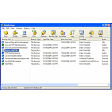
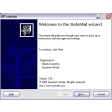
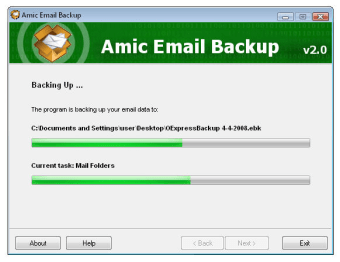
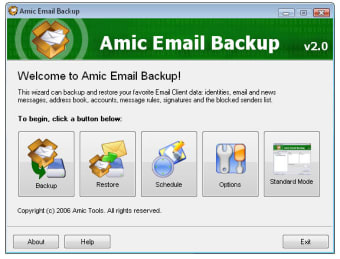
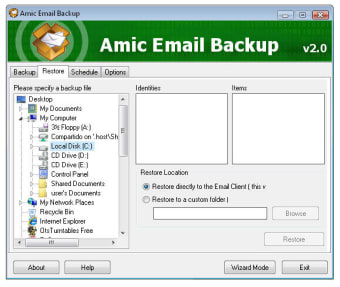
The whole process is really easy: simply select your client, pick the data you want to include in the backup copy and let the program take care of the rest. What's more, you can also follow the program's wizard-style interface which is even easier.
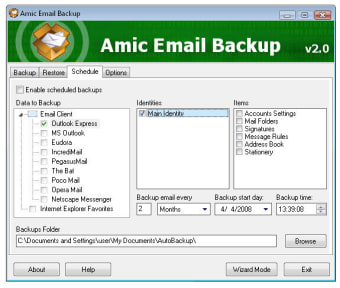
Like I said, the program has also a restoring tool which you can use to bring your data back to the email client. Amic Email Backup also supports backup scheduling: use it to always keep an updated backup copy of your messages and you won't loose important information ever again. The only thing missing, apparently, is the ability to create incremental backups.
With Amic Email Backup you can easily create security copies of any data in the most popular email clients. Plus, the schedule tool lets you leave the hard work to the program.
Amic Email Backup is a handy software tool for Microsoft Windows based PCs designed to create backup copy of your email database. Amic Email Backup can save emails, address book, settings, mail and news accounts, message rules, blocked senders lists and signatures to a single, compact, compressed backup file that can be easily restored when necessary.
Most computer users do not have anything else to backup except their email, as all other files can be restored from original software CDs if a virus or hdd crash make the computer unusable.
This is where Amic Email Backup comes to rescue, it allows the home and small business computer user to save the email folders and settings easily, either manually or automated at periodic times. This eliminates the need for an uncessesary complex and expensive complete backup software.
The software is easy to use, and has has two working modes, a Wizard mode and a standard mode.
The Schedule feature allows you to backup the email database daily, weekly or at any chosen time period. The email database can be saved on one computer and restored to another, thus making Amic Email Backup not just a backup utility but also a synchronization tool.
Unlike other email backup utilities Amic Email Backup works with the top 9 popular Email Clients such as MS Outlook, Outlook Express, Eudora, Netscape Messenger, IncrediMail and PocoMail.
Support has improved. The support has improved a lot since the last comment. There is now an online live chat to help and I got great help from the support email. Pros: Good software and good support. Cons: None
Anonymous user
Product is OK but Customer Service does not exist. Amic Email Backup is easy to install and seems to run as scheduled, but as per my comments below, the product is fatally flawed due to a total lack of customer support. Pros: Easy to install and easy to use. Cons: I wrote to Customer Service twice with a simple request for support, but they failed to respond or even acknowledge receipt of my inquiry. This is just another "junk" product.
Laws concerning the use of this software vary from country to country. We do not encourage or condone the use of this program if it is in violation of these laws. Softonic may receive a referral fee if you click or buy any of the products featured here.













.png)